Readable labels for every spool, even inside the AMS
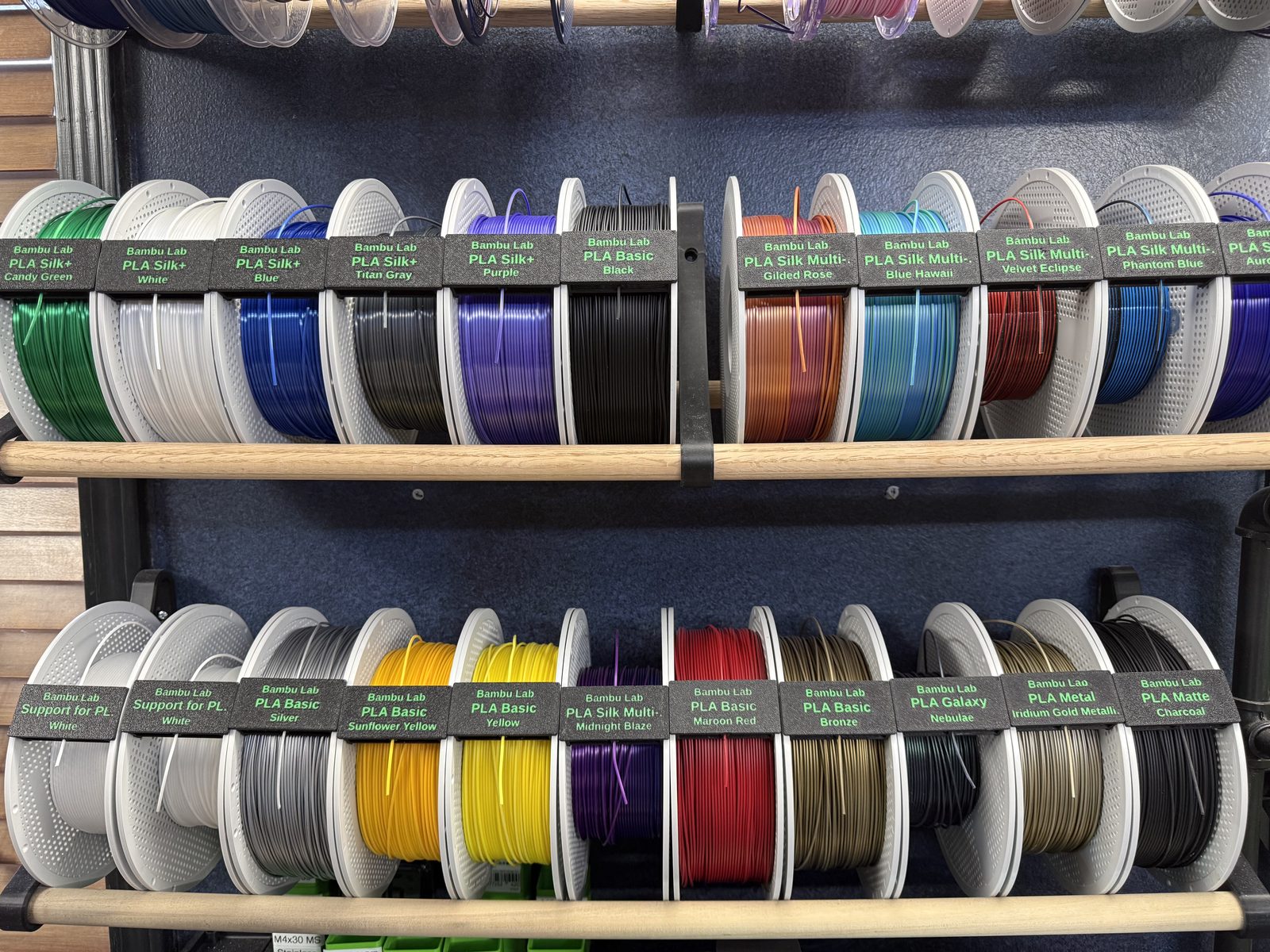
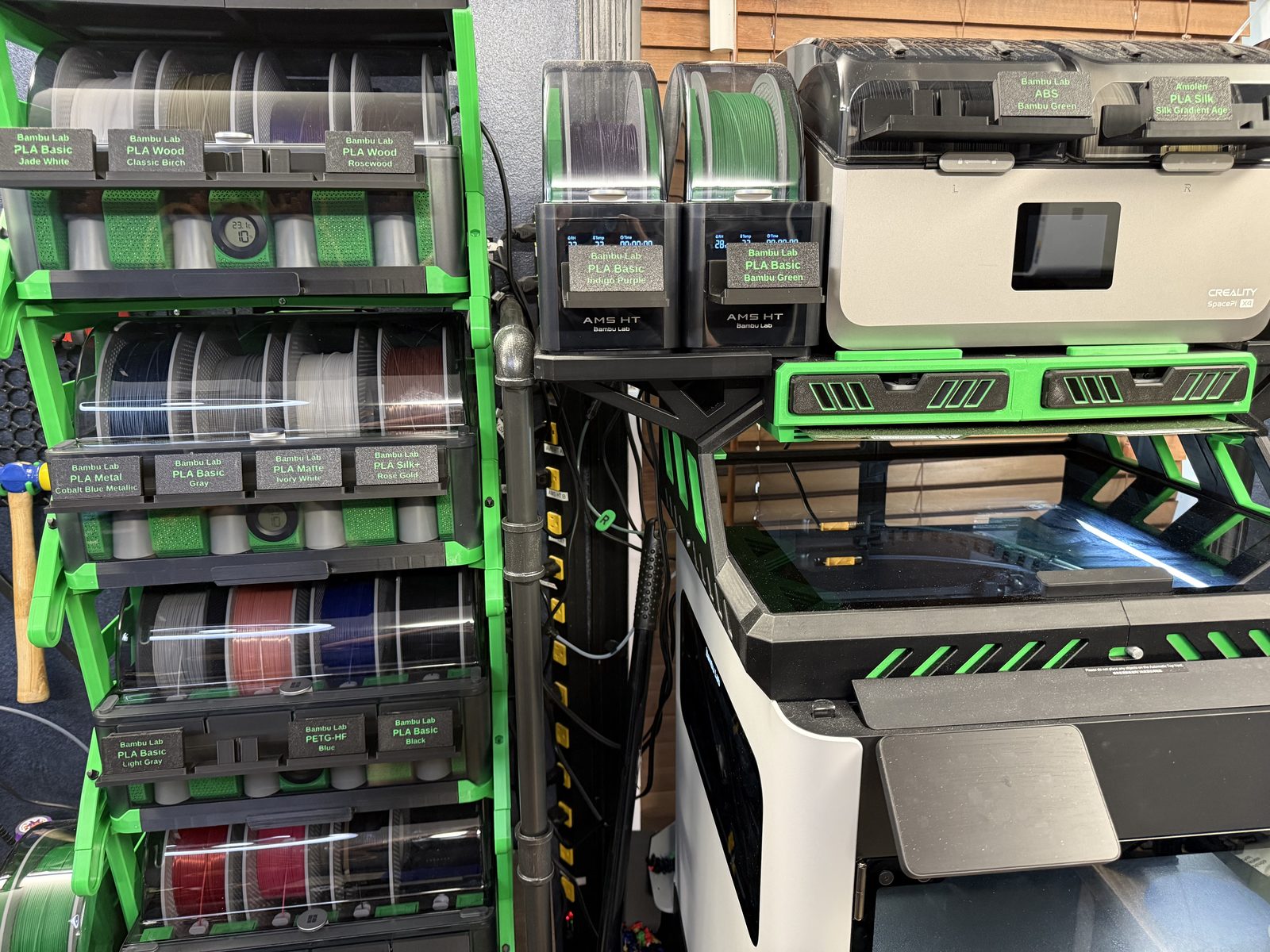
Print label clips that fit onto your filament spools and show the brand, type and color in large, readable text. Holders mount on the front of your AMS units and dryers, so you can still see what’s loaded.
Free · Runs in your browser · No account · One 3MF for Bambu Studio
How it works
Choose your filaments
Select brand, type and color from the catalog, import a CSV, or paste rows from a spreadsheet. Up to 100 clips per batch.
Download one 3MF
The studio lays out every clip on print plates for your printer. Enter your AMS and dryer counts to add the holders and mounting templates they need.
Label and mount
Clip a label onto each spool. When a spool goes into an AMS or dryer, its clip goes in the holder on the front, where a sleeve on the clip secures it.
Supported spools
Each clip is shaped and physically tested for one brand’s spool, so support grows one fitted brand at a time. For every supported brand, the catalog lists every public type and color the manufacturer shows on its website, with a link to the source.
Bambu Lab
Cookiecad
Amolen
Sunlu
Creality
Don’t see your spools? Request your spool with its brand, a few measurements and a photo. Requests help decide which brand gets fitted next. Can lend or donate a spool or device for testing? Provide development hardware.
Holders for your AMS and dryers
One-, two- and four-post holders (with a split four-post version for smaller printers) mount with 24 mm double-sided nano tape. Mounting templates center them on the Bambu Lab AMS 2 Pro, AMS HT and Creality SpacePi X4, and the clips stay put even with the lid fully open.
Label lots of spools at once
Keep your inventory in a spreadsheet? Use the Google Sheets batch builder to pick filaments with dropdowns and export a CSV, or paste rows straight into the studio. Named batches are saved in your browser, so you can come back and reprint.
Filament Clip Studio · browser edition